Install the Retell AI Slack app to start outbound voice agent calls from Slack and post call summaries, results, and recordings back to channels.
This guide connects Retell AI to Slack so team members can start outbound calls with a slash command. After each analyzed call, Retell posts the result to the originating channel.
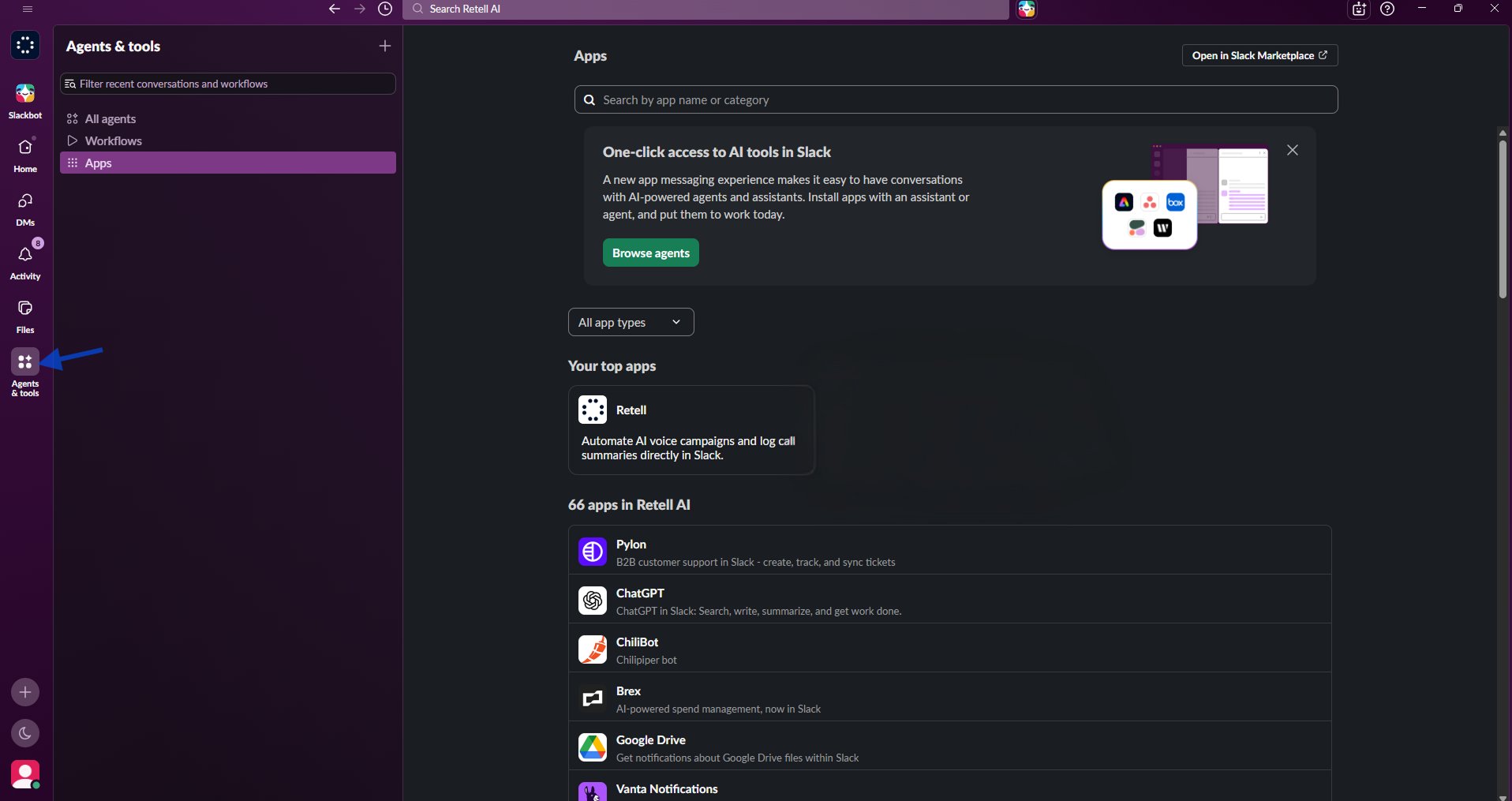
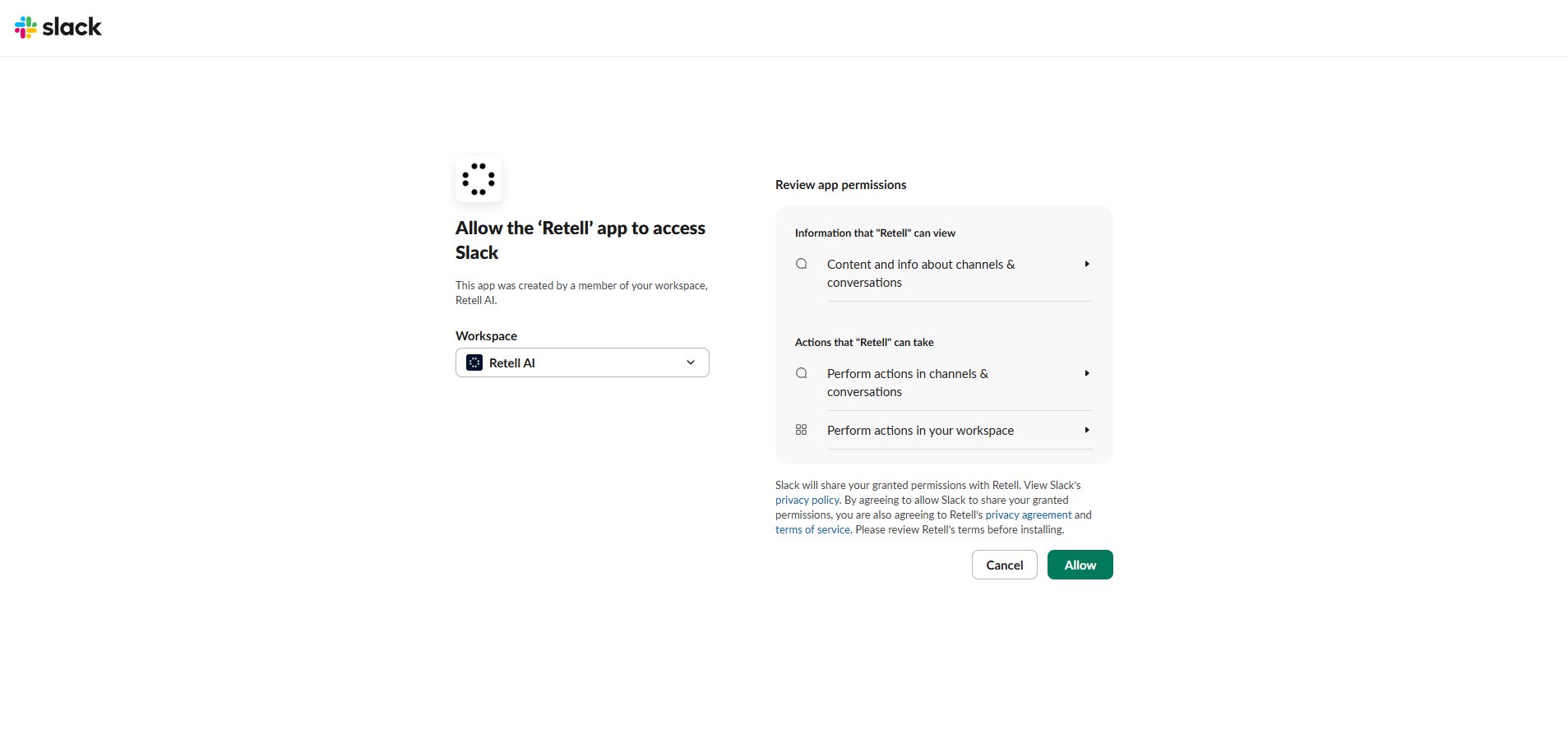
In Slack, open Apps → Retell AI → Home. If the workspace is not connected, select Connect Slack and approve access.
2
Launch the configuration wizard
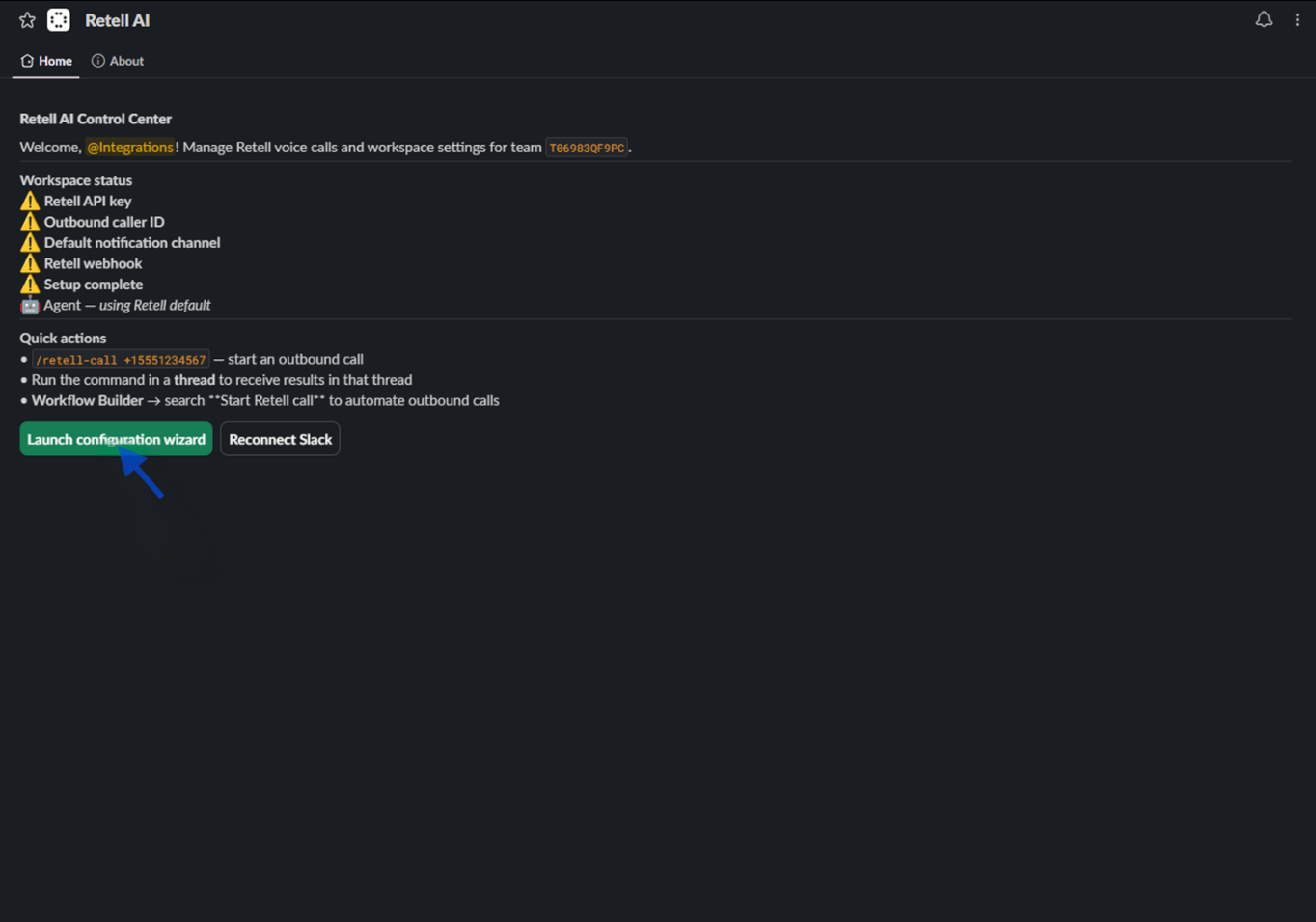
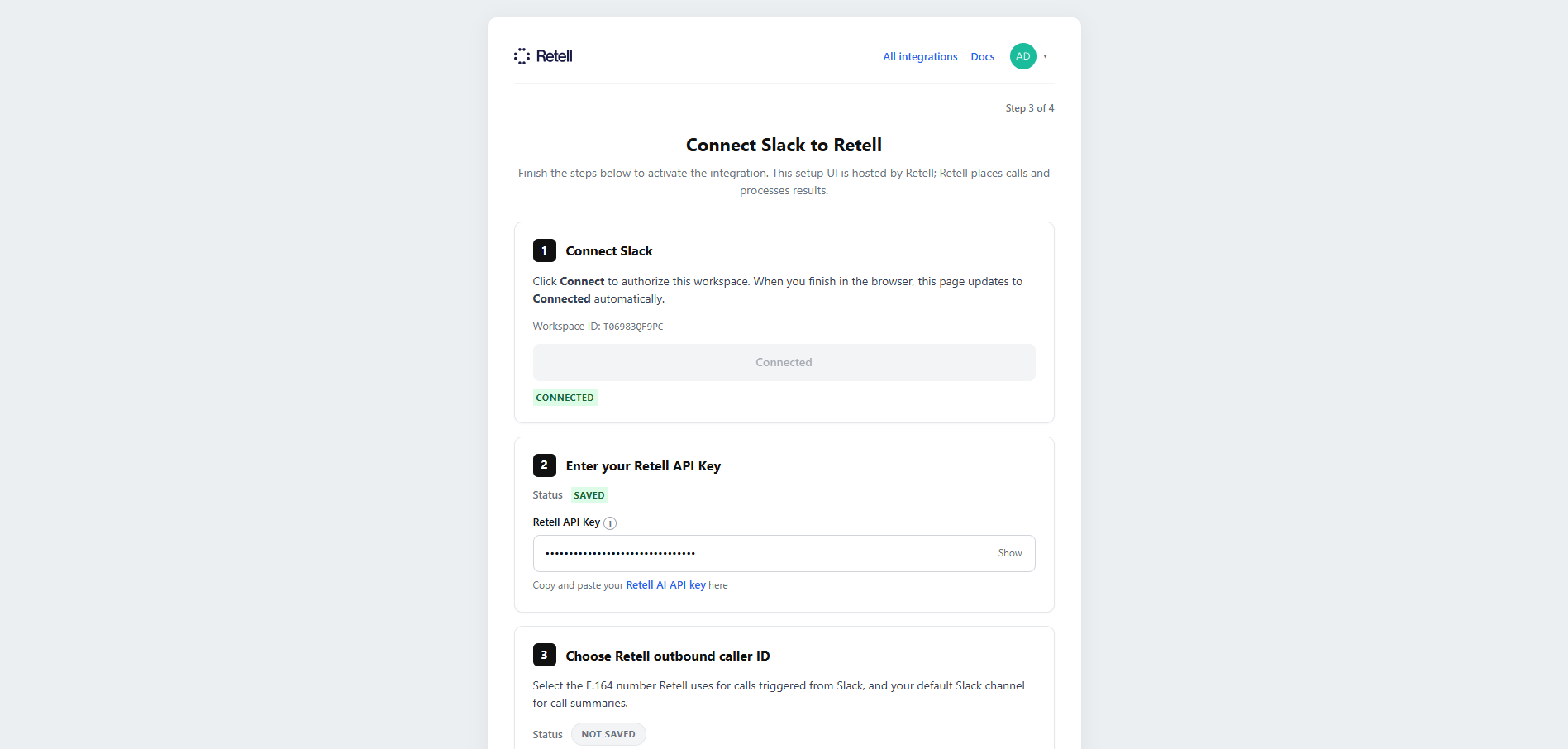
From App Home, select Launch configuration wizard. Sign in to Retell if required, or continue without signing in when your Retell account is already configured.
3
Set the webhook key
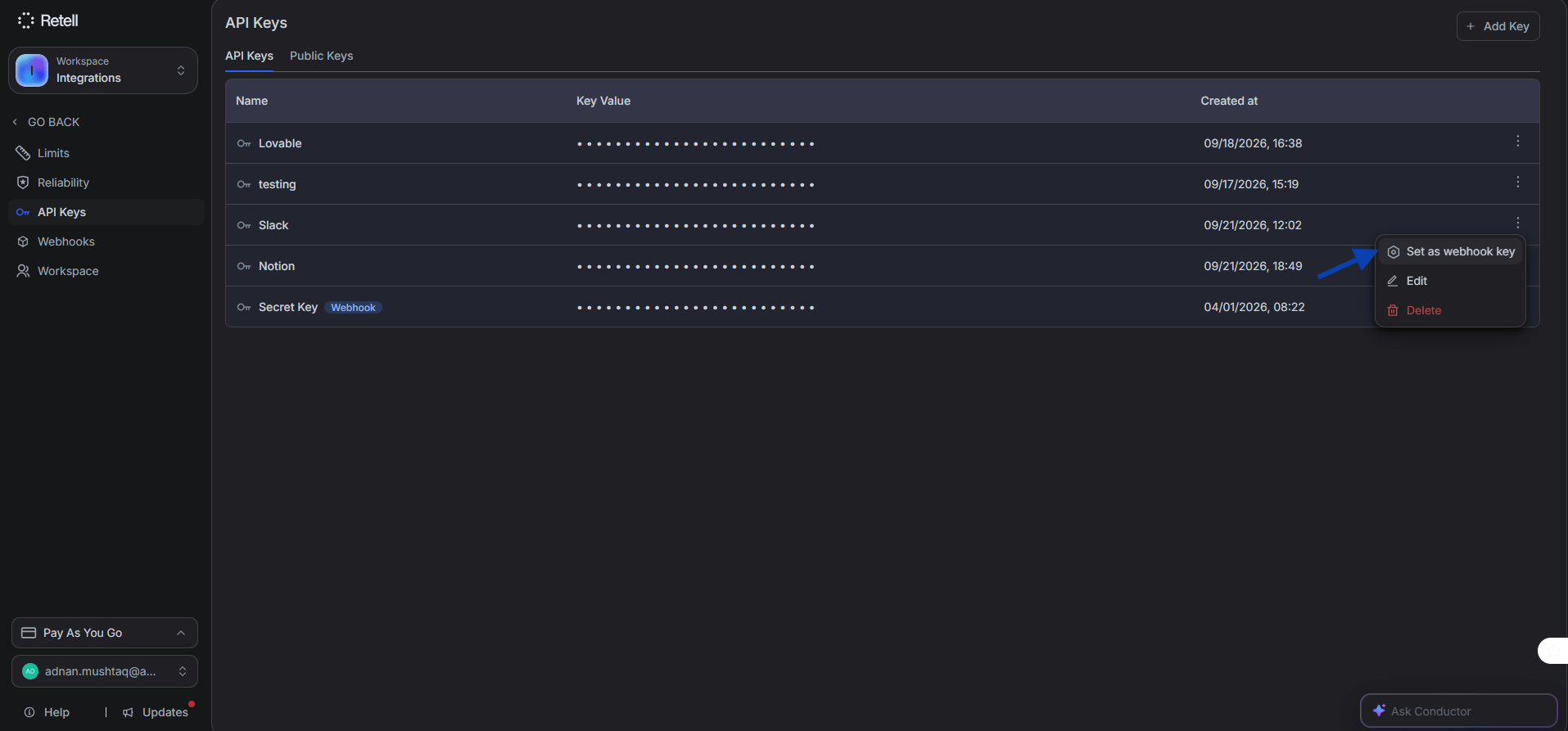
In the Retell dashboard, go to Settings → API Keys. Copy an existing key or select Add Key to create one. Open the key’s ⋮ options menu and select Set as webhook key, then copy the key value.
The API key must have the webhook option enabled. Post-call analysis data is only posted back to Slack when the key is designated as a webhook key.
4
Save the API key
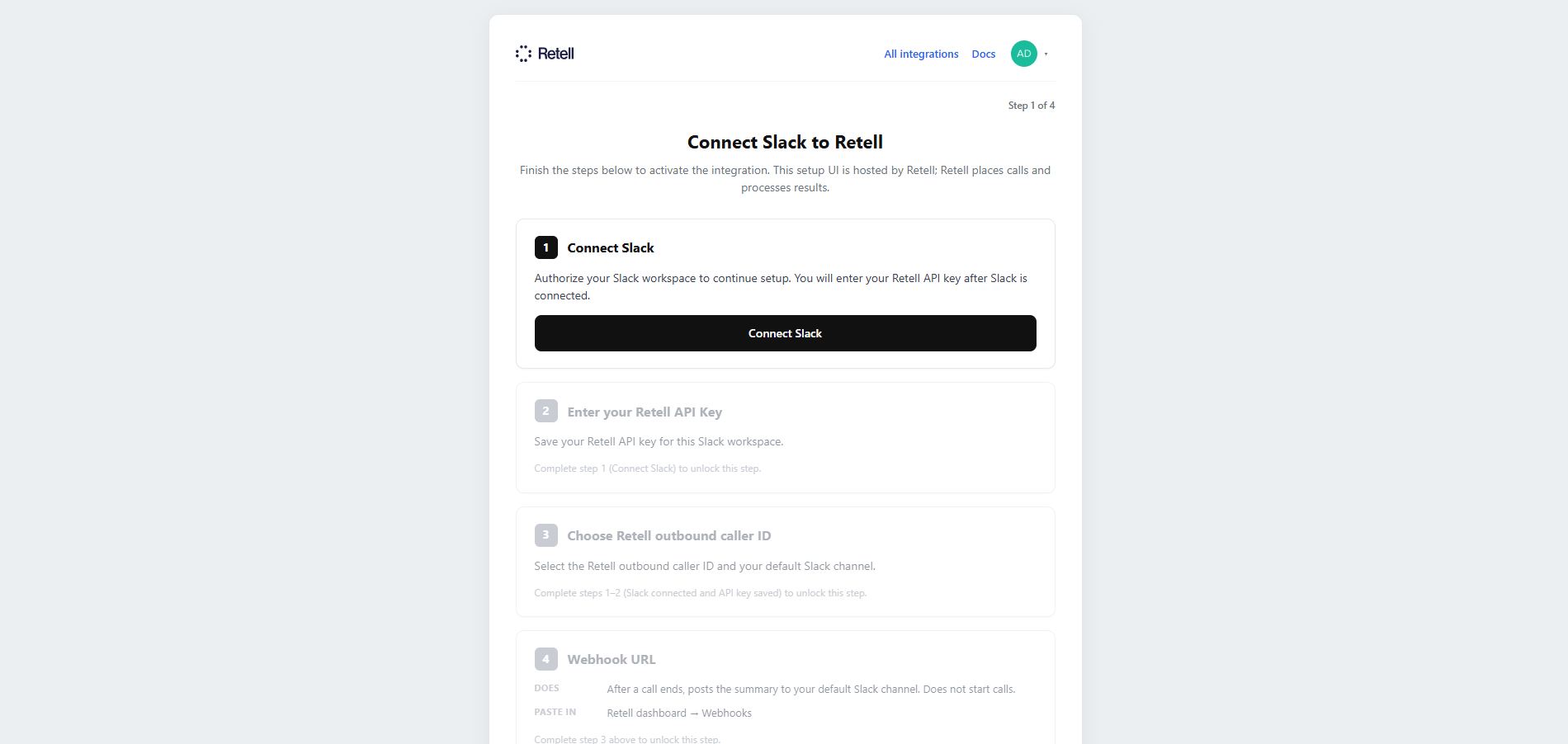
Paste the webhook key into Retell API Key and select Save API key. Confirm that the status shows Saved before continuing.Retell AI supports only one active webhook integration at a time. If you are also using Notion or Zoho, choose which integration receives webhook events.
5
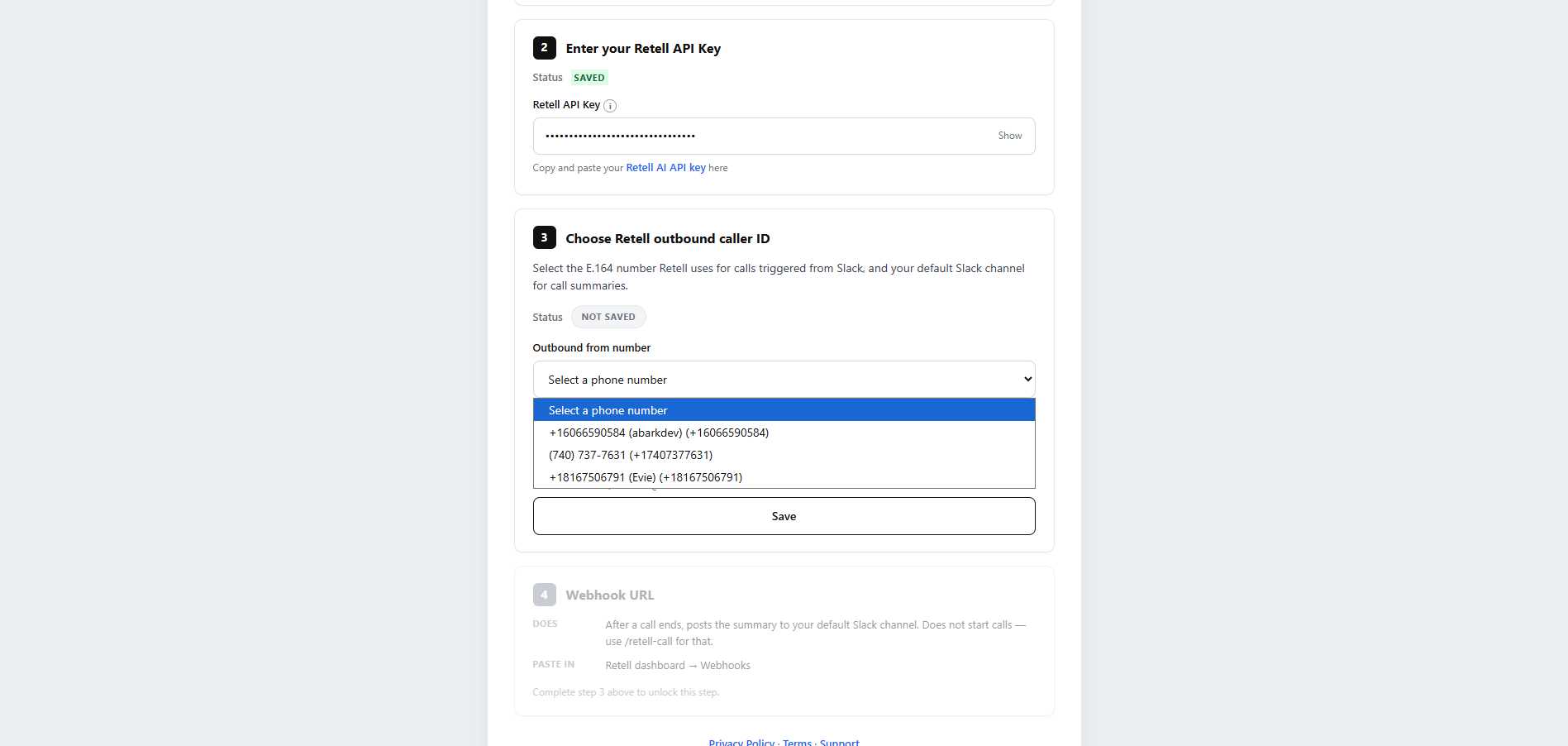
Choose the outbound caller ID
Select the Retell phone number used for outbound calls. If an agent option appears, choose the default agent or keep the Retell account default.
6
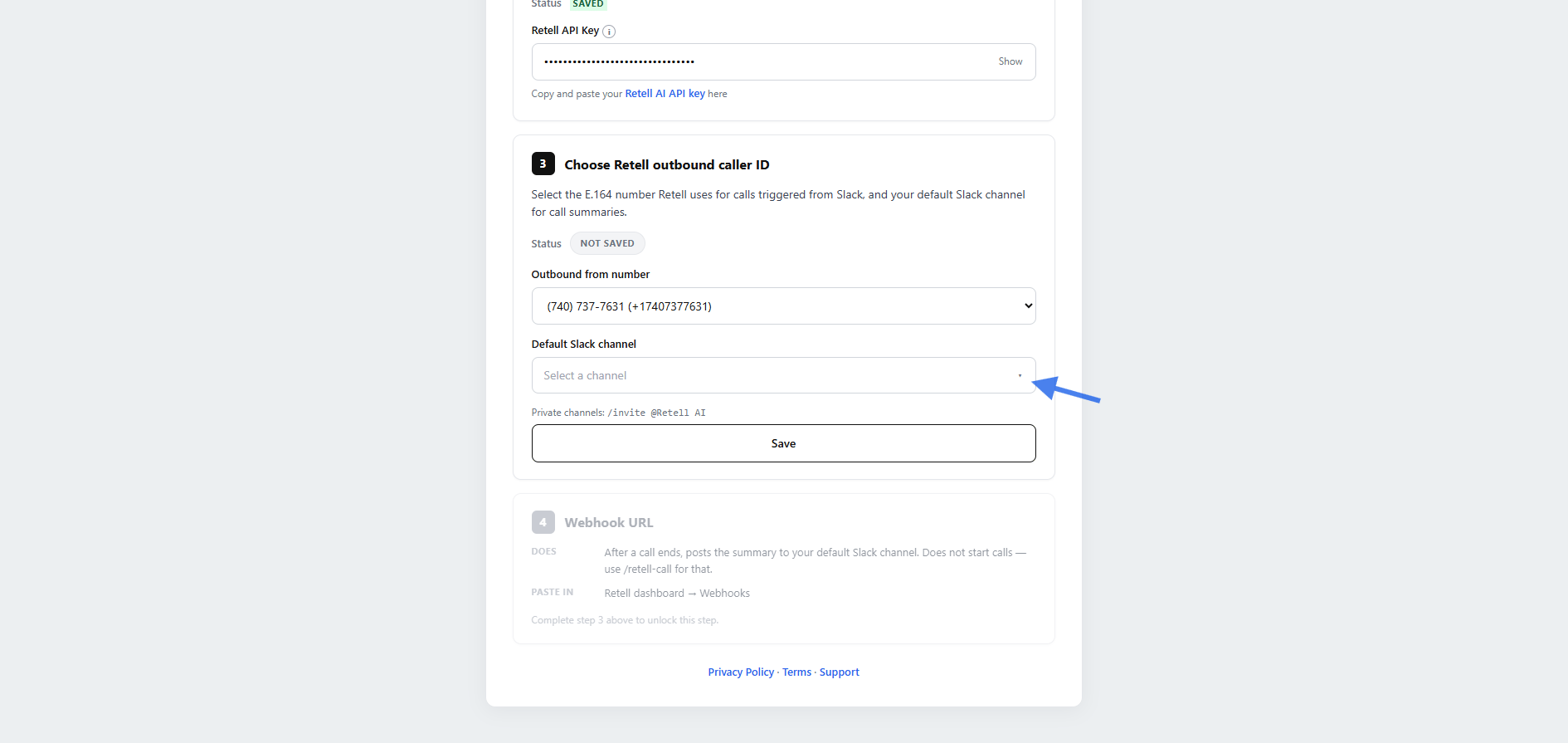
Set the default notification channel
Choose the Slack channel that receives results when a call does not specify one. For a private channel, first run /invite @Retell AI in that channel.
In the setup wizard, find Register the Webhook URL in Retell and select Copy webhook URL.
2
Add the webhook URL to the Retell agent
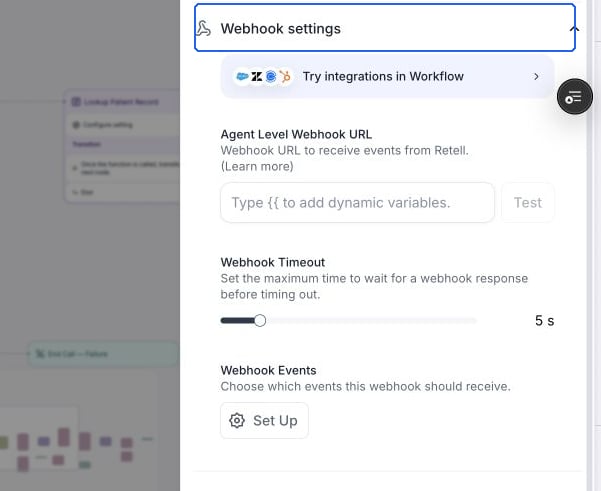
Open the Retell dashboard, select Agents, and open the agent used for Slack. Expand Webhook settings, paste the URL into Agent Level Webhook URL, and select Test. Under Webhook Events, make sure call_analyzed is enabled so Retell can send the post-call result. Save or publish the changes.
Paste the integration URL into Agent Level Webhook URL.
Use the slash command for the fastest end-to-end test.
1
Run the slash command
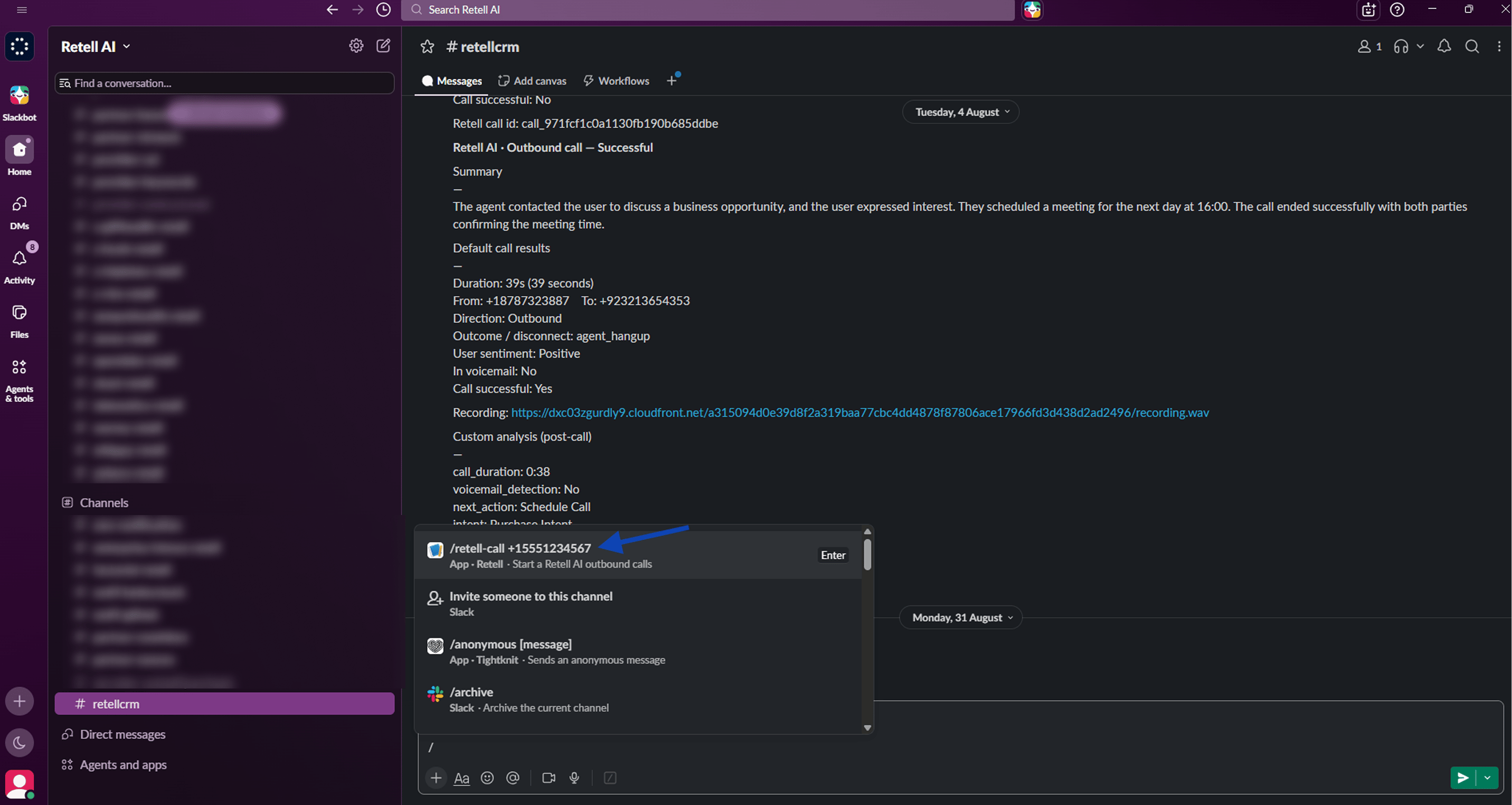
In a channel where Retell AI can post, enter the command below with a valid E.164 destination number. Slack displays a private confirmation when the call starts.
/retell-call +15551234567
2
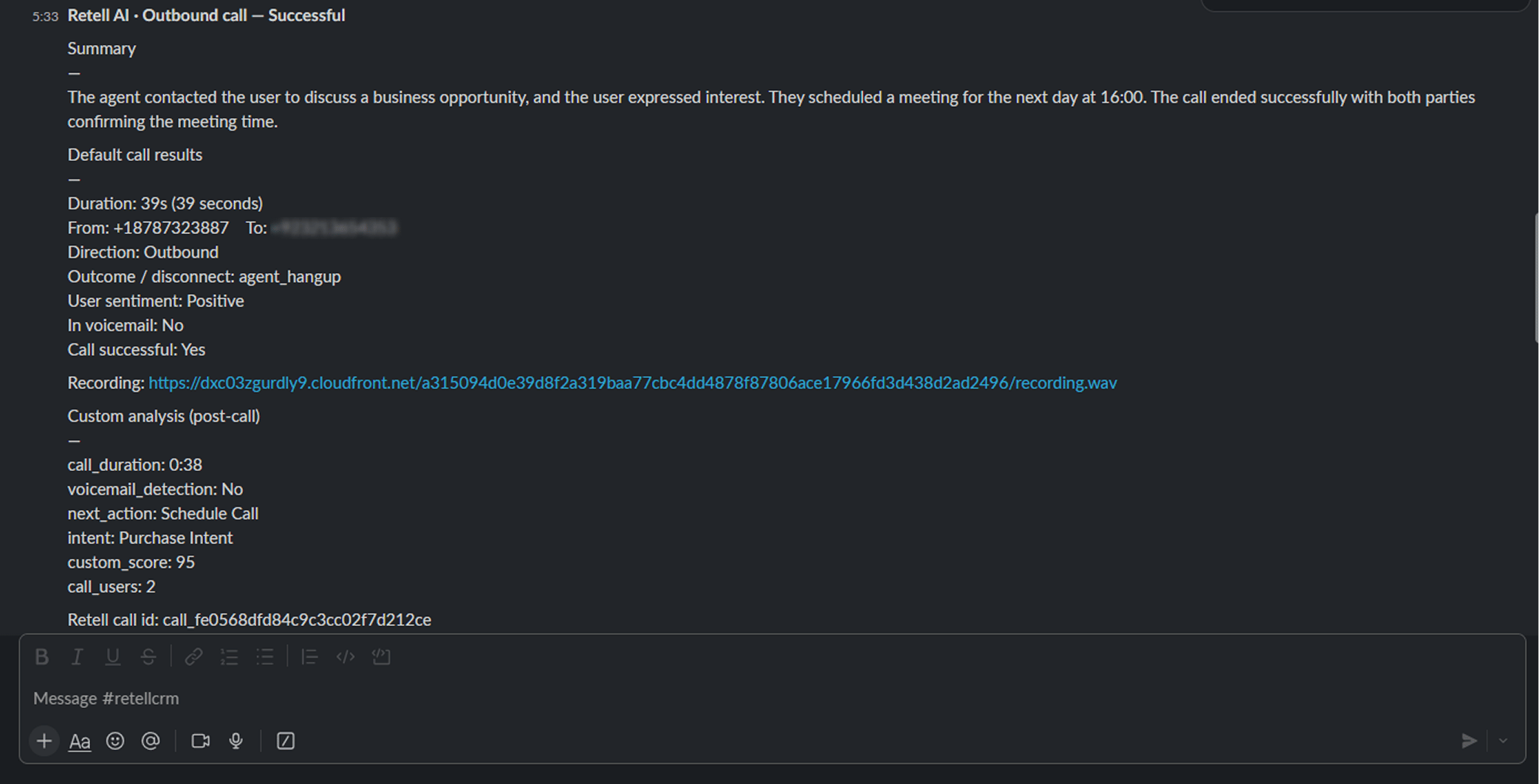
Review the post-call message
After Retell analyzes the call, review the Slack message for the summary, duration, direction, sentiment, transcript details, and recording link.