

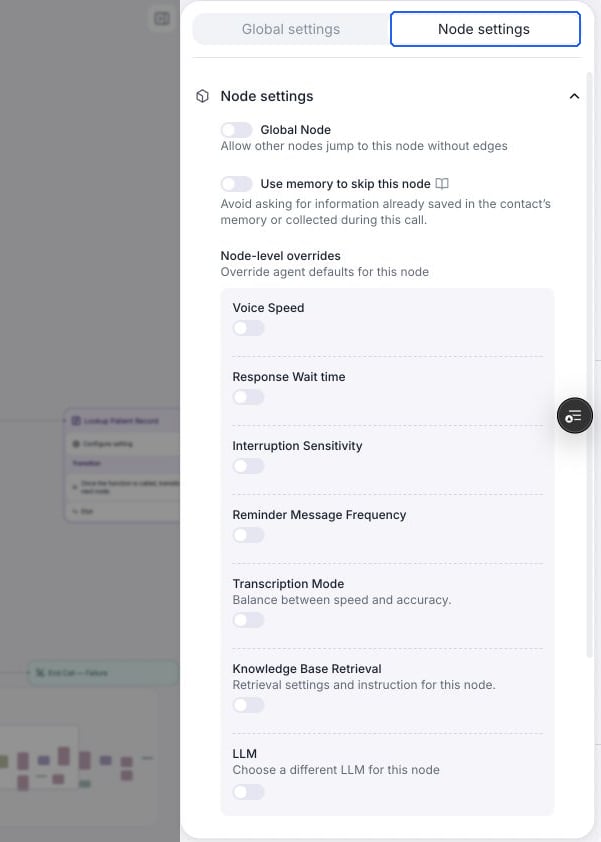
Use Node settings to override agent defaults for a conversation node.
Write the instruction
Pick how the agent generates what to say in this node:- Prompt: Write instructions and the LLM generates responses dynamically. Use this for anything that depends on what the user says.
- Static Sentence: The agent says your exact sentence first. If the conversation stays in the node after that, it continues dynamically based on the static sentence. Use this when the wording must be exact, like disclaimers or greetings.
When transitions happen
- Before entering the node, when Use memory to skip this node is enabled and available information satisfies an outgoing transition condition.
- After the user finishes speaking, following the evaluation order.
- When Skip Response is enabled: as soon as the agent finishes speaking.
Node settings
- Use memory to skip this node: Let the agent skip the node using answers from the current conversation. With Use contact memory enabled, it can also use saved contact memory. Leave this setting off for steps that must always run. See skippable node behavior and prompting.
- Skip Response: The node gets a single edge and transitions through it when the agent finishes speaking, without waiting for a reply. Useful for lines that need no response, like a disclaimer before a transfer.
- Knowledge Base: Attach node-level knowledge bases to combine topic-specific knowledge with the agent-level knowledge base. Read more at knowledge base.
- Global Node: Make this node reachable from anywhere in the flow when its condition is met. Read more at global node.
- LLM: Choose a different model for this node only. It’s used for response generation — for example, a cheaper model for simple routing and a stronger one for complex steps.
- Speech overrides: Override the agent-level speech settings for this node only — interruption sensitivity (0–1), response wait time (0–5.5s), voice speed (0.5–2), and whether keypad presses can interrupt the agent (DTMF interruption).
- Transcription Mode: Override the global transcription mode while this node is active. Choose speed, accuracy, or a custom provider and endpointing. For example, use accuracy mode when collecting an account number. Available for cascading voice agents. See node transcription overrides.
- Fine-tuning examples: Add example transcripts to improve this node’s responses and transition decisions. Read more at finetune examples.